Recurring Work Items for Jira
Write the schedule once and the issues appear on their own. Daily, weekly, monthly and quarterly rules with working-day and holiday handling, dynamic titles, subtask checklists, and a run history that says exactly what happened and why.
Free for up to 10 users, then from $82.50 a year for 11–15 users.
How it works
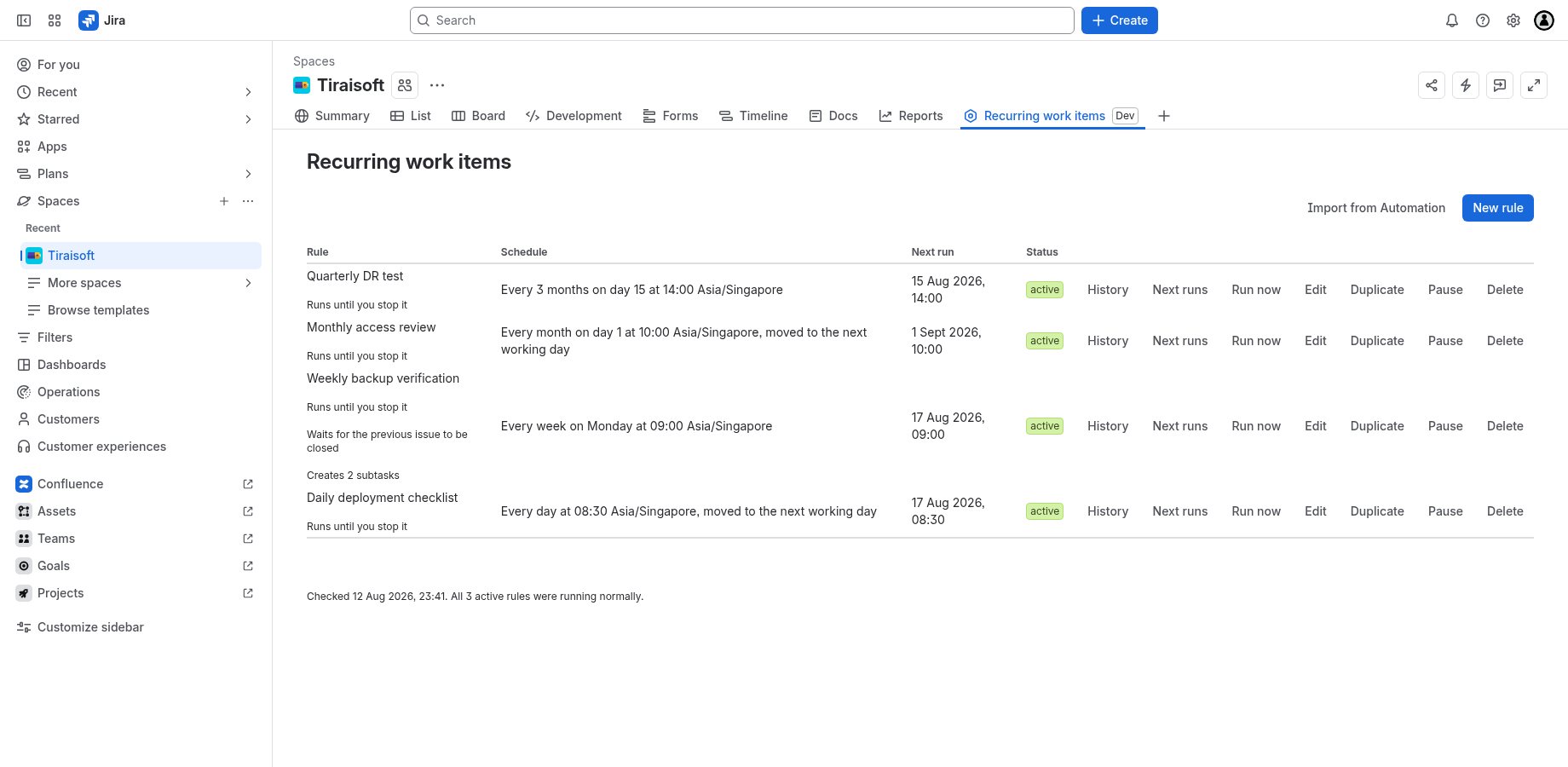
A rule is a schedule plus an issue template. You write it once, in one Jira project, and from then on the app creates the issue for you.
Behind the scenes a scheduled trigger runs every 5 minutes and claims each occurrence exactly once, so a rule cannot fire twice for the same moment and cannot silently skip one. Creating the issue happens on a retrying queue, which is why a Jira hiccup delays a run rather than losing it. Every occurrence — created, skipped or failed — is written to the rule's History, along with the reason.
That is the whole model. Everything else on this site is the detail of the two screens: the project settings page, where an administrator turns the app on and says who may schedule, and the project page, where the rules live.
What it deliberately does not do
- It consumes no Jira Automation quota. The scheduling is the app's own; it never creates or runs a Jira Automation rule.
- Nothing leaves Atlassian. The app runs entirely on Atlassian's infrastructure inside your own site, and its manifest declares no external domains at all — which is why it carries the Runs on Atlassian badge. See the privacy policy.
- It is scoped to one project at a time. There are no site-wide rules. A project has to be turned on before anything in it happens, and turning it off stops everything in that project without touching any other.
- Jira Cloud only. It is a Forge app; there is no Server or Data Center build, and no Confluence version.
Start here
- Install itWhat you need, what Jira asks you to approve, how it is licensed, and what removing it takes with it.
- Turn it on for a projectEnrol a project, choose who may schedule, and set the working week.
- Write your first ruleEvery field in the editor, what each schedule option means, and what happens when runs overlap.
- Dynamic titles and datesThe token vocabulary, both spellings, and two worked examples.
- Something did not happenRead the run history, understand the failure codes, and check the limits.